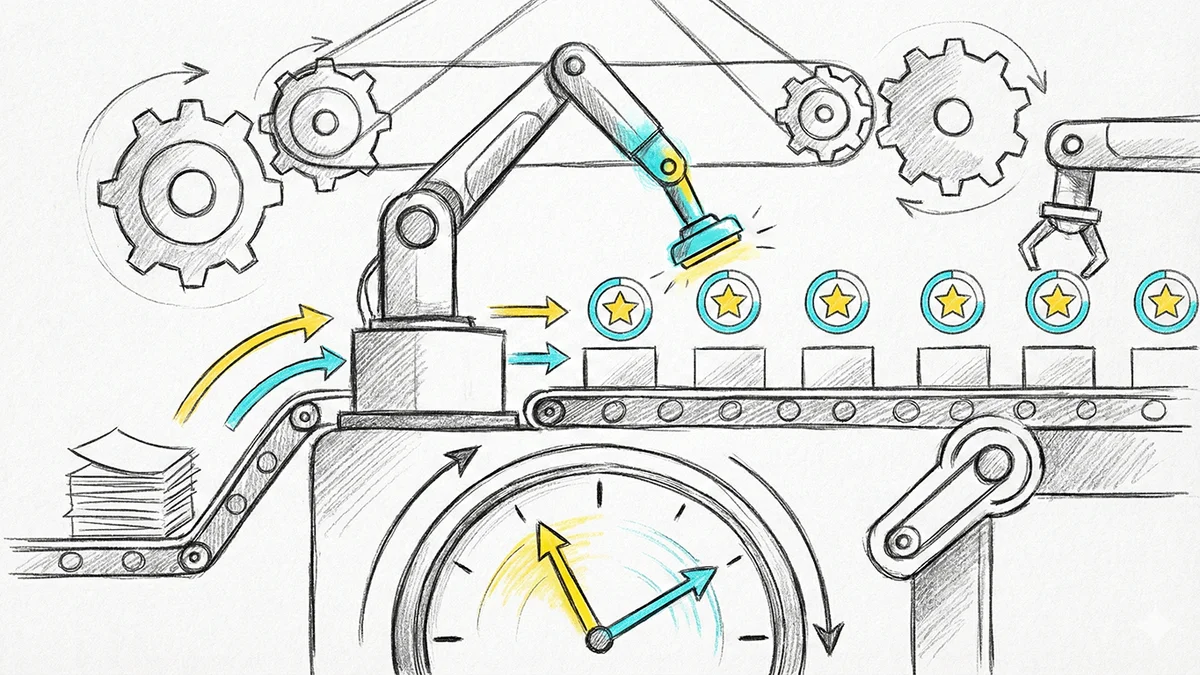
Connecting OKRs to Project Management: Bridging Strategy and Execution
 Leemu
Leemu
Connecting OKRs to Project Management: Bridging Strategy and Execution
Meta Description: Learn how to connect OKRs with your project management tools. Bridge the gap between strategic goals and daily work with effective integration strategies.
Keywords: OKR project management, connecting goals to tasks, OKR Asana integration, strategy execution, goal alignment, OKR workflow
Introduction
OKRs define what you want to achieve. Project management tracks how you'll achieve it. When these systems live in silos, a dangerous gap emerges: strategic goals disconnected from daily work.
Connecting OKRs to project management bridges this gap. Teams see how their tasks contribute to objectives. Leaders see whether execution aligns with strategy. Everyone understands why their work matters.
This guide shows how to create effective connections between your OKRs and project management, whether through integration or disciplined process.
The Strategy-Execution Gap
The Disconnection Problem
In many organizations:
- OKRs live in one system
- Tasks live in another
- The connection exists only in people's heads
- Alignment is assumed, not verified
Symptoms:
- Teams work hard on tasks that don't advance OKRs
- OKRs stall while task lists grow
- Leadership can't see if strategy is being executed
- Effort is wasted on low-impact work
The Connected State
When OKRs and projects are connected:
- Every task traces to a purpose
- OKR progress reflects actual work completion
- Prioritization becomes clearer
- Alignment is visible and verifiable
Understanding the Relationship
OKRs vs. Projects vs. Tasks
OKRs: What you want to achieve (outcomes)
- Increase customer activation rate by 30%
- Reduce time to value from 14 days to 3 days
Projects: Major initiatives to achieve outcomes
- Onboarding redesign project
- Self-service implementation project
Tasks: Specific work items within projects
- Design new onboarding flow
- Build automated setup wizard
- Write help documentation
The Hierarchy
OBJECTIVE: Become the market leader in user experience
├── KEY RESULT: Increase NPS from 32 to 50
│   ├── PROJECT: Customer feedback program
│   │   ├── Task: Set up NPS survey
│   │   ├── Task: Create feedback analysis process
│   │   └── Task: Build response workflow
│   └── PROJECT: UX improvement initiative
│       ├── Task: Conduct user research
│       ├── Task: Redesign problem areas
│       └── Task: A/B test improvements
└── KEY RESULT: Reduce support tickets by 40%
    └── PROJECT: Self-service enhancement
        ├── Task: Build knowledge base
        ├── Task: Create in-app guidance
        └── Task: Implement chatbot
Integration Approaches
Approach 1: Automatic Integration
How it works:
OKR tool integrates directly with project management tool. Progress syncs automatically.
Examples:
- Leemu OKR + Asana
- Lattice + Jira
- Weekdone + Trello
Pros:
- Real-time sync
- Reduced manual work
- Always current
- Single source of truth
Cons:
- Requires compatible tools
- Setup complexity
- Potential sync issues
- May need adjustment as tools evolve
Best for: Organizations with compatible tool stacks who want automation
Approach 2: Manual Linking
How it works:
Users manually link projects/tasks to OKRs. Updates happen in parallel.
Implementation:
- Add OKR reference to task descriptions
- Use tags or labels for OKR association
- Include OKR ID in project naming
- Document connections in OKR tool
Pros:
- Works with any tools
- No technical integration needed
- Full control over connections
- Simple to start
Cons:
- Manual effort required
- Connections can become stale
- No automatic progress sync
- Relies on discipline
Best for: Small teams, simple setups, or while evaluating integration
Approach 3: Hybrid Approach
How it works:
Combine automatic sync where possible with manual processes for gaps.
Implementation:
- Integrate where tools support it
- Manual linking for unsupported connections
- Regular audits to verify alignment
- Clear process documentation
Best for: Organizations with mixed tool environments
Setting Up Integration
Step 1: Map Your Workflow
Before connecting, understand your current process:
Questions:
- How do OKRs get created and updated?
- How do projects get planned and tracked?
- Who owns each system?
- Where does information need to flow?
Step 2: Define the Connection Model
Decide how OKRs and projects relate:
Option A: Key Results → Projects
Each Key Result has associated projects
Option B: Objectives → Projects
Projects align to Objectives, with tasks supporting Key Results
Option C: Tasks → Key Results
Individual tasks tag to Key Results
Step 3: Configure the Integration
If using automatic integration:
- Connect OKR and PM tools
- Define mapping rules
- Set sync frequency
- Configure permissions
- Test thoroughly
Step 4: Establish Processes
Create processes to maintain connection:
Project creation: Link new projects to OKRs
Task management: Tag tasks with OKR context
Updates: Sync progress at defined intervals
Reviews: Audit alignment periodically
Step 5: Train the Team
Ensure everyone understands:
- Why connection matters
- How to link work to OKRs
- How to maintain connections
- Where to see the relationships
Tool-Specific Guidance
Asana Integration
Connection options:
- Goals feature (native OKR-like)
- Custom fields for OKR association
- Project sections aligned to Key Results
- Third-party integration tools
Best practices:
- Use Asana Goals for simple OKR tracking
- Or integrate external OKR tool via API
- Tag tasks with OKR identifiers
- Create OKR-aligned project templates
Jira Integration
Connection options:
- Epics as Key Results
- Labels for OKR tagging
- Custom fields for OKR reference
- Integration with OKR tools
Best practices:
- Map Epics to Key Results where appropriate
- Use JQL queries to view OKR-aligned work
- Create dashboards showing OKR progress
- Link Jira issues to OKR tool items
Monday.com Integration
Connection options:
- Board columns for OKR association
- Automations for status sync
- Dashboard widgets for OKR visibility
- Native goals tracking
Best practices:
- Create OKR-specific board views
- Use status automations for progress
- Build dashboards connecting OKRs and work
- Use Monday's goal tracking if sufficient
Notion Integration
Connection options:
- Linked databases connecting OKRs and projects
- Relation properties between tables
- Rollup calculations for progress
- Template systems for consistency
Best practices:
- Build OKR database linked to project database
- Use relations to connect work items
- Create views showing OKR-aligned work
- Build dashboards for visibility
Trello Integration
Connection options:
- Labels for OKR association
- Power-ups for OKR integration
- Custom fields via Power-ups
- Card linking
Best practices:
- Use labels consistently for OKR tagging
- Consider OKR Power-ups if available
- Create board views filtered by OKR
- Link cards to external OKR tool
Maintaining Alignment
Regular Alignment Reviews
Weekly:
- Are tasks moving that support OKRs?
- Any OKRs without active work?
- Any work not connected to OKRs?
Quarterly:
- Are project investments matching OKR priorities?
- What projects completed—did they impact OKRs?
- Are the right OKRs getting attention?
Dealing with Unaligned Work
Not all work will connect to OKRs. Handle thoughtfully:
Maintenance work: Track separately, acknowledge necessity
Emergencies: Accept temporary misalignment
New opportunities: Evaluate against OKRs before committing
Technical debt: May warrant its own OKR or explicit allocation
Adjusting Connections
As work progresses, connections may need adjustment:
Project scope changes: Update OKR links
OKR changes: Reflect in project associations
New projects: Require OKR connection before starting
Completed work: Archive with OKR results
Measuring Connection Effectiveness
Alignment Metrics
Work allocation:
- % of tasks linked to OKRs
- % of time on OKR-aligned work
- Resource distribution across OKRs
Progress correlation:
- Do completing projects move OKRs?
- Are OKR updates reflecting work done?
- Is there lag between work and OKR progress?
Health Indicators
Positive signs:
- High percentage of work linked to OKRs
- OKR progress correlates with project completion
- Teams reference OKRs when prioritizing
- Unaligned work is explicitly acknowledged
Warning signs:
- Much work without OKR connection
- OKRs stall despite task completion
- Teams unaware of OKR associations
- Projects created without OKR consideration
Common Challenges
Challenge 1: Over-Linking
Problem: Everything gets tagged to OKRs, making connections meaningless
Solution: Reserve links for direct, significant contributions. Not every task needs an OKR tag.
Challenge 2: Stale Connections
Problem: Links established but not maintained
Solution: Regular audits, clear ownership, automated reminders
Challenge 3: Granularity Mismatch
Problem: Trying to link every task to Key Results
Solution: Connect at project level; tasks inherit association
Challenge 4: Different Owners
Problem: OKRs owned by leadership, projects owned by teams
Solution: Clear process for connection, shared visibility, regular sync meetings
Challenge 5: Tool Limitations
Problem: Tools don't integrate well
Solution: Manual processes, intermediate tools, or tool consolidation
Building the Habit
For Individuals
- Link your tasks to OKRs when creating them
- Review your work against OKRs weekly
- Ask "which OKR does this support?" for new work
- Update both systems when work completes
For Managers
- Review team work alignment regularly
- Create project templates with OKR fields
- Include OKR alignment in planning
- Coach team on connection importance
For Leaders
- Ensure OKR and PM systems are connected
- Review alignment in leadership meetings
- Hold teams accountable for connections
- Celebrate aligned execution
Conclusion
Connecting OKRs to project management closes the loop between strategy and execution. It makes alignment visible, helps teams prioritize, and ensures effort translates to outcomes.
The specific approach—automatic integration, manual linking, or hybrid—depends on your tools and culture. What matters most is establishing the discipline of connecting work to goals.
When every project has a clear OKR purpose, and every OKR has visible work behind it, you've built a system where strategy actually gets executed.
Related Articles:
- Choosing the Right OKR Software: A Complete Buyer's Guide
- Focus and Prioritization: Using OKRs to Say No
- How to Run Effective OKR Check-ins
Ready to align your team with OKRs?
Start tracking your objectives and key results with Leemu. Free to get started, no credit card required.
Get Started Free